The Chiller Replacement Ripple: Updating MEP Drawings When the Plant Changes
AutoMEP Team,
The Chiller Replacement Ripple: Updating MEP Drawings When the Plant Changes
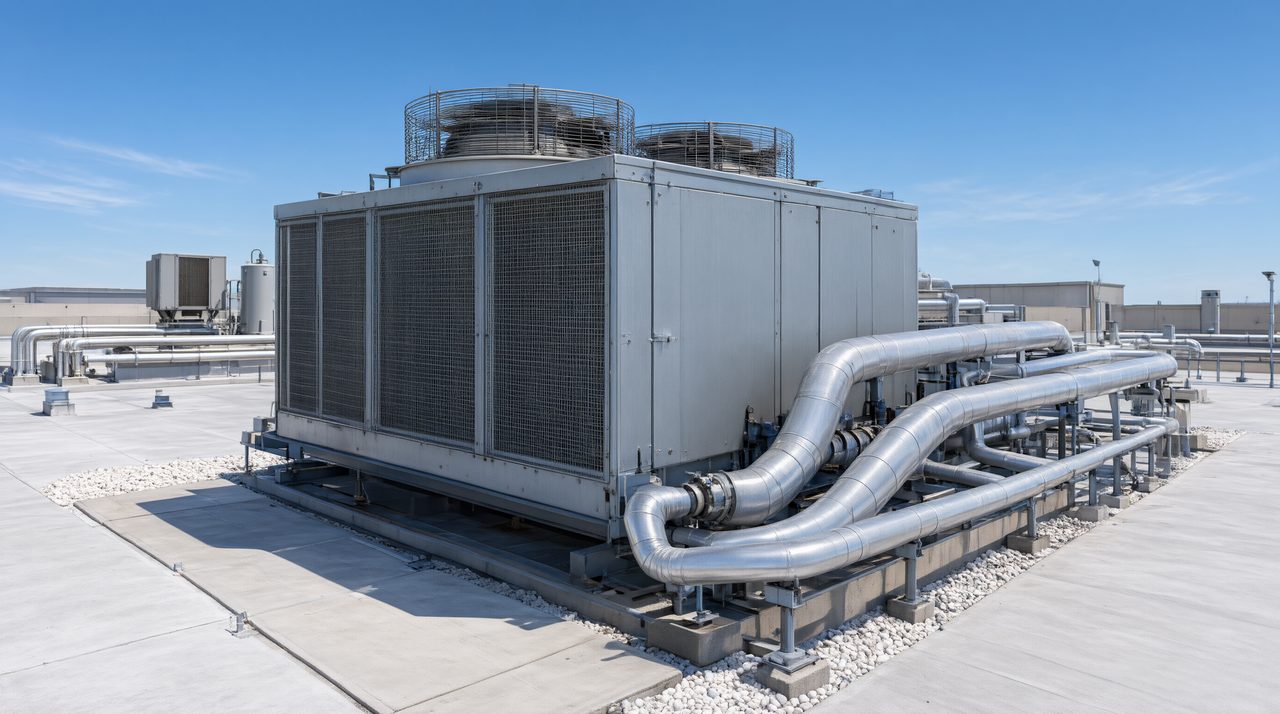
A chiller replacement is never just a new box on the equipment schedule. It changes chilled water piping sizes and connections, pump selections, electrical loads, starter and disconnect details, controls points, structural pads, and the schedules that tie all of it together, so the fastest safe approach is to treat it as one coordinated update across the mechanical, plumbing, and electrical sheets. Handle those changes together and the set stays consistent. Handle them sheet by sheet and something, usually a schedule or a power connection, quietly keeps the old machine.
What drawings change when a chiller is replaced?
Start by mapping the ripple before you edit anything. A typical replacement touches at least 6 places in the set, and often more. The mechanical plan shows the new footprint, clearances, and piping connections. The piping plan and riser diagram show new pipe sizes, valve changes, and flow direction at the plant. The equipment schedule carries the new model, capacity, flow, and head. The electrical sheets carry the new load, breaker, disconnect, and feeder routing. The controls drawings carry new points for chilled water reset, pump control, and alarms. Details for pads, housekeeping, vibration isolation, and refrigerant or venting also change when the new unit differs in size or type.
Write that list down as a checklist. The most common error is not a wrong pipe route. It is a correct plan sitting next to a stale schedule, or a correct schedule next to old electrical data, and each mismatch costs a review cycle.
How do you keep piping, pumps, and schedules in sync?
Chiller and pump data have to move together. If the new chiller needs a different flow rate, the pump selection, pipe sizes near the plant, balancing valve notes, and the pump schedule all change with it. If the new unit has different connection sizes or locations, the piping layout at the machine changes even when the rest of the loop stays the same. Work through the loop in order, from the chiller connections out to the first major branch, and check 3 things at every step, connection size, flow value, and the tag that appears on the plan and in the schedule.
This is where plain language automation helps a drafting lead. With AutoMEP, you upload a DWG or Revit file, describe the replacement in plain English, and get back a native file that opens in AutoCAD or Revit. You can describe the whole ripple in one request, for example replacing the chiller on the schedule, updating its piping connections, revising the pump schedule values that follow from the new flow, and updating the electrical load callouts that the engineer has already decided. AutoMEP covers HVAC, plumbing, and electrical edits, needs no install, no plugins, and no macros, and geometry goes on AIA and NCS layers automatically, or on your office CAD standard layers when the project uses one.
The engineer still selects the chiller, confirms capacity, flow, head, voltage, and clearances, and reviews the result. Automation removes the repetitive redrawing between those decisions. It does not replace engineering judgment, and it does not do clash detection or coordination checks, so your own review still applies.
What should you check on the electrical and controls sheets?
Electrical is the sheet set most often left behind. A new chiller can change full load amps, breaker and disconnect size, feeder route, and the panel schedule, even when voltage stays the same. Starter type and drive provisions also change the one line and details. List every electrical value in the new submittal, then find each place it appears. Do the same for controls, including sensors, control valves, flow switches, and automation points.
A practical check is to search the set for the old model number, capacity, flow, and electrical values after the update. If any still appears outside a demolition note, that sheet was missed. That 1 search catches more errors than a visual scan, because schedules and details hide old values in small text.
How can a small firm handle a plant replacement without another drafter?
For a small firm, the choice is rarely between software and nothing. It is between automating repetitive edits, outsourcing the redraw, or pulling an engineer off design work to draft. Plans start at $39 per month for Starter, $99 per month for Pro, and $249 per month for Team, with a 7 day free trial on all plans and no credit card until checkout. Failed jobs and no change jobs are not counted, and extra jobs are billed by usage on your next invoice with a fixed monthly cap. That pricing is why many teams test automation on exactly this kind of job, a bounded equipment replacement with a known list of affected sheets, before they trust it on larger redesigns.
Whichever route you choose, protect the review step. Compare the plant plan against the new submittal, read schedules line by line, and confirm electrical values match the panel. In AutoMEP, linked xrefs are read only, never edited, and do not need to be bound first. A licensed professional should review the edited drawing before construction.
Frequently asked questions
Does a chiller replacement change drawings outside the mechanical set?
Yes. Electrical loads, breakers, disconnects, and panel schedules change with the new unit, controls points and sequences change, and plumbing or structural details can change for condensate, makeup water, pads, and access. That is why the update should be planned as 1 coordinated pass across disciplines, not as a mechanical only edit.
Which file formats does AutoMEP support for this kind of update?
AutoMEP supports DWG 2007 and later, and Revit 2024, 2026, and 2027. Revit 2025 is not supported, and DXF is not supported. You upload the file in the browser, describe the edit in plain English, and receive a native DWG or Revit file back.
What does AutoMEP cost for a drafting team?
Starter is $39 per month, Pro is $99 per month, and Team is $249 per month. All plans include a 7 day free trial, you can cancel anytime, and failed or no change jobs are not counted toward usage.
A chiller replacement will always create a ripple. The firms that handle it well are the ones that list the ripple first, update every affected sheet together, and then search the set for the old values before they issue. If your next plant job is already on the board, try that workflow on a live drawing at AutoMEP and judge the result against your own review checklist.