The Penetration Shuffle: Updating Sleeve and Opening Drawings After Structural Changes
AutoMEP Team,
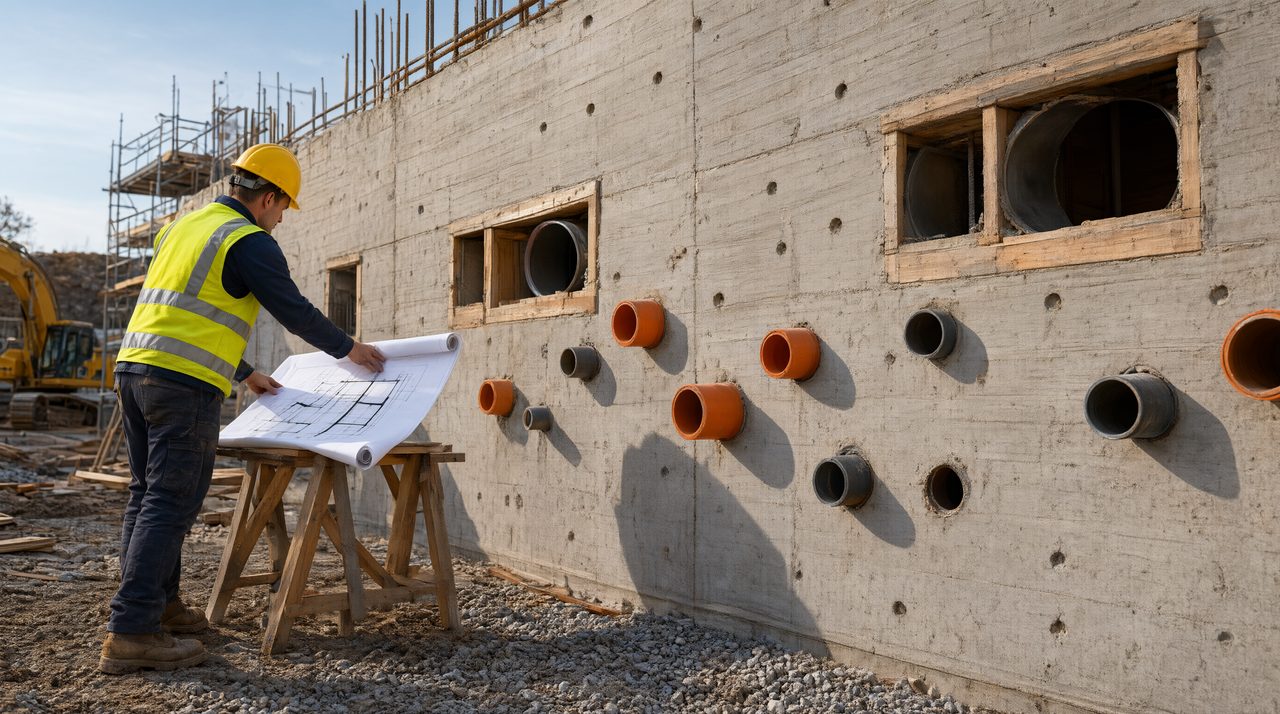
When a structural engineer moves a wall, thickens a slab, or shifts a beam, every sleeve and penetration drawing in the MEP set has to move with it. Describe the change once, in plain language, and update every affected sheet, schedule, tag, and detail together, instead of hunting through drawings one by one.
A sleeve looks like a small thing on a drawing, just a circle through a wall or floor. In the field, it is a commitment: once concrete is poured or a precast panel leaves the plant, that opening is fixed, and moving it later means coring, patching, and firestopping rework.
Why do sleeve drawings go stale so fast?
Sleeve information lives in more places than most teams realize. The same opening appears on a floor plan, a section, a penetration schedule, and sometimes a coordination drawing, each with its own tag, size, elevation, and fire rating note. When structure changes, a drafter has to find every copy. A sleeve on level three may also be tagged on a riser diagram, and a sleeve in a shaft wall may appear on two discipline sheets.
Timing makes it worse. Structural revisions often arrive while detailing is underway, so the penetration set is a moving target: a beam gets deeper, a slab edge moves six inches, and sleeves that cleared now land inside the beam. Nobody notices until shop drawings come back marked up. Each trade also keeps its own schedule, so one structural change needs four coordinated updates that agree.
What breaks when a penetration moves?
Start with location. A sleeve that shifts even a few inches can land on rebar, a tendon zone, or inside a beam web. The structural engineer has to confirm the new location, and the firestopping detail and sleeve size may both need to change.
Then comes elevation. Sleeves through slabs carry invert or centerline elevations, and a slab thickness change moves those numbers even when plan location stays put. A sleeve drawn at the old elevation gets installed at the wrong height, and the pipe through it will not line up with the rest of the run.
Tags and schedules break next. A sleeve that moves to a different wall or floor may need a new tag, while the old tag may still sit in the schedule. Field crews work from schedules as much as from plans, so a stale schedule is a wrong installation waiting to happen. The same applies to fire rating notes, which must change when a sleeve moves between walls of different ratings.
How do you update every sleeve drawing without missing one?
Work from the change, not from the sheet list. Start with the structural revision, list exactly what moved and by how much, then walk each affected opening through every place it appears. A checklist beats memory here, because the drawings you forget are the ones that cause the callback.
For each sleeve, confirm location, elevation, size, clearance, fire rating note, tag, and schedule entry. If any one of those seven items is unchecked, the sleeve is not done. Done by hand, this is slow, which is why teams put it off until the submittal comes back redlined.
Describe the change the way you would explain it to another engineer: the level four slab thickened, the sleeves in grid lines C through F move six inches north, and the firestopping notes update to match the new wall ratings. When the instruction is that clear, the update pass becomes verification instead of a treasure hunt, and it is a good fit for an AI drafting agent that takes the plain English instruction, reads the full drawing, and applies the edit across the set.
Getting this right early pays off: Dodge Construction Network found that 91 percent of contractors using multi-trade pre-assembly saw project performance gains, and that only works when penetration information is correct before parts leave the shop. Precast work makes the point sharper, since sleeves cast into panels at the plant cannot be moved without coring finished concrete.
What should the updated set actually contain?
A clean penetration update touches more than the plan circle. Before you issue, confirm:
- Every sleeve and opening on every affected sheet, plan, section, and detail, moved
- Elevations and dimensions updated to match the revised structure
- Tags renumbered where the sleeve changed walls, floors, or systems
- Penetration schedules updated to match the drawings
- Revision clouds and notes stating what changed and why
- Clearance checked at the new location, conflicts flagged for the structural engineer
Note that AutoMEP does not do clash detection or coordination checks between trades, and coordination stays with your own review and tools. Drawings still need a licensed professional review before anyone builds from them. An automated pass gets every sheet consistent, so review time goes to judgment calls instead of hunting for missed tags.
How does AutoMEP handle a structural change to penetrations?
AutoMEP is a web app where MEP engineers upload an AutoCAD DWG or Revit RVT file and describe the edit in plain English. The agent reads and indexes the full drawing, writes an operations plan, executes the edit through Autodesk Platform Services, and returns a native DWG or RVT file. There is nothing to install, no plugins, and no macros.
One instruction can move sleeves across plans, sections, schedules, and tags in the same pass, with geometry on AIA or NCS layers automatically, or your office standard layers when a project uses one. File support covers DWG 2007 and later, and Revit 2024, 2026, and 2027. Failed jobs and no-change jobs are not counted, and usage is returned automatically. Pricing starts at Starter for 39 dollars per month, Pro for 99 dollars per month, and Team for 249 dollars per month, each with a 7-day free trial and no credit card until checkout. If your next structural revision is sitting in your inbox, try describing the update in plain English at automep.app.
How do I find every drawing a moved sleeve appears on?
Start from the structural revision, list what moved, then trace each affected opening through plans, sections, details, and the penetration schedule. Check tags last, because an orphan tag is the easiest error to miss.
What changes besides the sleeve location?
Elevation, size, clearance, fire rating notes, tags, and schedule entries can all change when a penetration moves. A location-only update that leaves the old elevation or rating note in place is still a wrong drawing.