How to Open a Revit File Without Revit
AutoMEP Team,
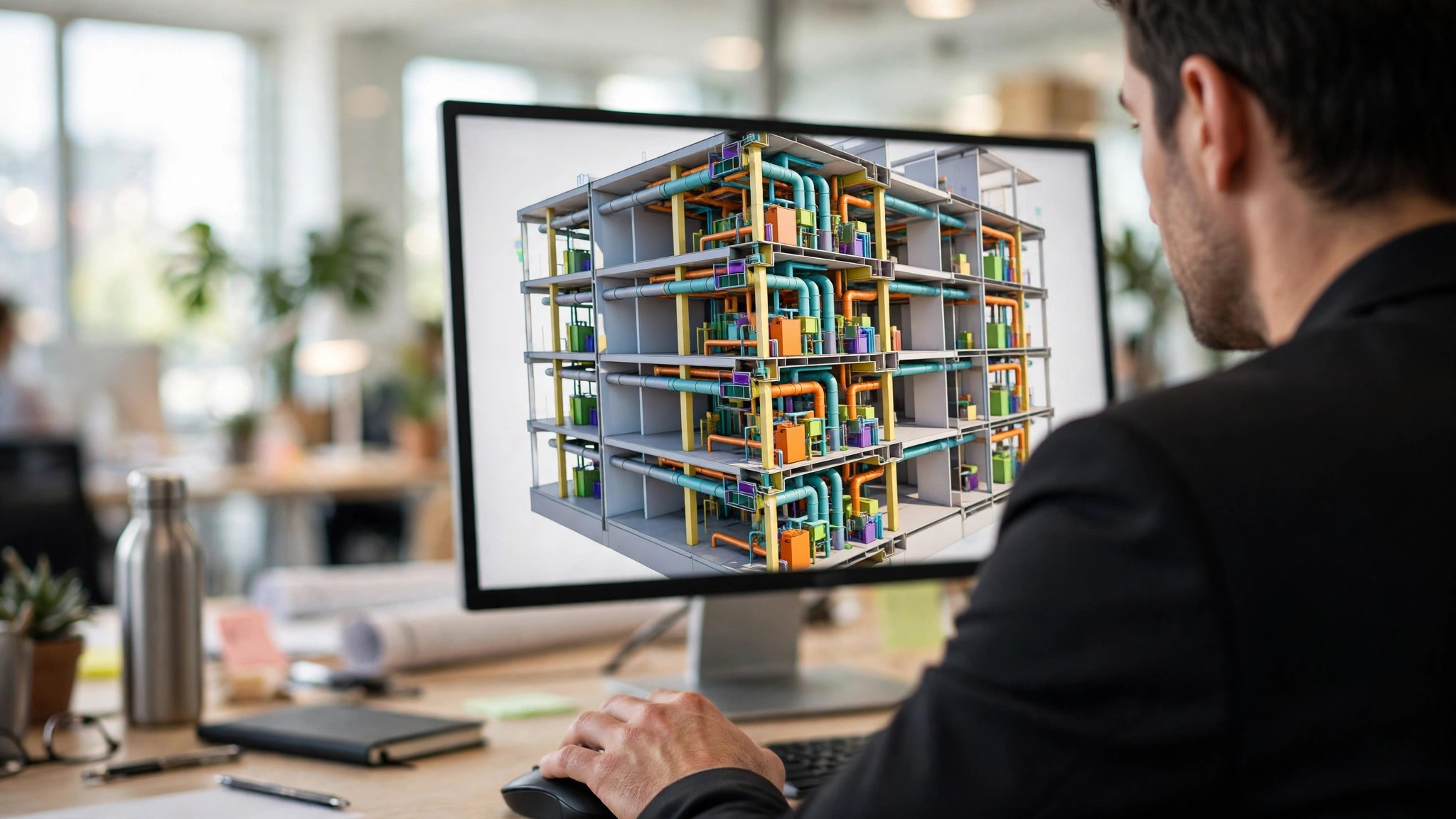
Yes, you can open a Revit file without Revit. Open the free Revit viewer from AutoMEP in your browser, drop the RVT file on the page, and you get the model's Revit version, worksharing status, and last save first, then a quick 3D view you can orbit. There is no install and no account, and the file is read inside your browser tab and never uploaded.
Revit files travel a lot further than Revit licenses do. Owners, general contractors, clients, and engineers on other platforms all get sent RVT files they cannot open, and the usual workaround is asking the model author for screenshots or an exported walkthrough. A browser viewer gives you the answers directly: which version saved this, is it workshared, when was it last saved, and what does the building actually look like in 3D.
How do you open an RVT file if you do not have Revit?
- Open the viewer page in Chrome, Edge, Firefox, or Safari.
- Drag the RVT file onto the page, or click to browse for it.
- Read the file facts that appear first: the Revit version, whether the model is workshared, and the last save.
- Wait while your own computer builds the 3D view from the model's data.
- Orbit, pan, and zoom with your mouse or trackpad, or jump straight to a top, front, or side view.
That version readout alone saves real time. Revit files are not backward compatible, so knowing a model was saved in a newer release than your team runs explains a failed open before anyone wastes an afternoon on it. The separate free Revit version checker answers the same question when that is all you need.
What can you actually check in a browser Revit viewer?
Start with the 3 facts shown before the 3D even loads. The Revit version tells you whether your team can work with the file at all. The worksharing status tells you whether you are looking at a central model that other people are editing. The last save tells you whether the file you were sent is current or a week old. After that, the 3D view is for orientation and communication: walking an owner through the shape of a plant room, confirming a shaft lines up floor to floor, or showing a client the building they have been approving in plan.
Privacy works the same way as the companion DWG viewer. Your browser reads the model locally, nothing is sent to a server, and closing the tab clears the file. That makes it safe to open a live project model, and it is also why the viewer is free with no limit on how many models you open, because your own computer does the work.
What are the limits of a browser Revit viewer?
The 3D is a quick look, not a replacement for Revit. The viewer builds its view from the data saved in the model, without Revit's own engine, so most walls, floors, ducts, pipes, and equipment come through, but some elements can be simplified to a box or left out entirely. The 3D view works best on models saved by Revit 2023 and later, and older models may show fewer elements. Check anything that matters in Revit before relying on it.
Size matters too. Your computer builds the view, so a big model takes longer and needs more memory, and very large models are simply too big for a browser. Phones open small models only, and the page tells you when a model is too large for your phone. Families are a partial case as well: an RFA file shows its Revit version and the preview image Revit saved with it, but the full 3D view works for project files, RVT only, for now.
If you need the model changed rather than viewed, that is what AutoMEP does. You upload the RVT, describe the change in plain English, such as supply ductwork to every office on level two, and it returns the edited native RVT for your review. AutoMEP edits models from Revit 2024, 2026, and 2027, which is 3 supported releases, and note that Revit 2025 is not supported for editing even though the viewer will happily show you a 2025 model's version and 3D. Editing plans run from Starter at $39 per month to Team at $249 per month, with a 7-day free trial.
Frequently asked questions
Which Revit versions does the viewer open?
It shows the Revit version of any RVT file. The 3D view works best on models saved by Revit 2023 and later, and older models may show fewer elements.
Can I open a Revit family file, RFA?
Partly. A family shows its Revit version and the preview image Revit saved with it. The 3D view is for project files (RVT) only for now.
Can I edit the model in the viewer?
No, the viewer is view only. For edits, AutoMEP takes an RVT from Revit 2024, 2026, or 2027 plus a plain English description of the change, makes the edit, and returns the native file. Results are advisory, and a licensed professional should review the edited model before anyone builds from it.